AI Chart Summary
AI Chart Summary is a game changer for those looking to add major efficiency gains to their practice. At the highest level, AI Chart Summary will summarize up to 30 treatment notes in seconds (something that could take you several minutes to even hours).
Add ChiroSpring AI to your practice to use this feature.
Examples For Using
- Get a quick recap on your patient's progress (help determine next steps)
- Use it to add to your current note
- Send to an outside provider
WATCH VIDEO DEMO
Using AI Chart Summary
Open a patient's Treatment Notes. Then select up to 30 treatment notes. Click the action button. Then select "AI Chart Summary".

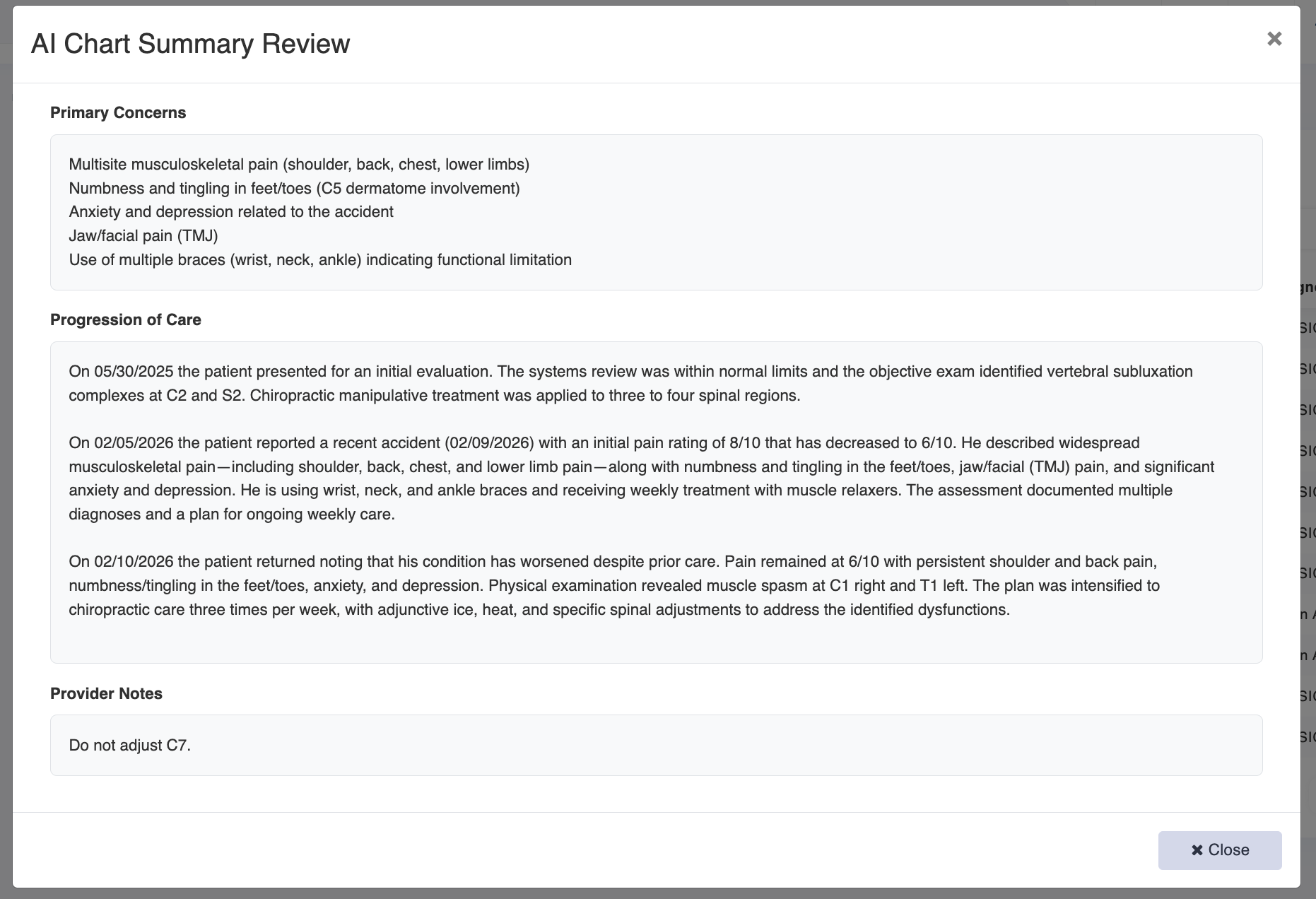
This will generate a full summary for your patient. See below.
You may copy this text (highlight and Control + C or Command +C) and paste (Control +V or Command +V) into a current note, or share with another provider, as a few examples.