
Patient Menu - Billing Dashboard Overview

Demographic Information
Set and Edit Demographic Information for patient - pulled into Insurance Information
Contact Information
View, edit contact information on record for the patient
Billing Information
Displays:
- Insured name
- Payer
- Plan start year
- Visit limits
- Fee schedule
Important for claim and coverage verification.
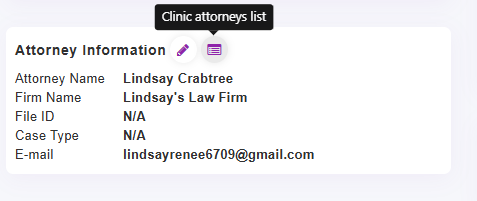
Attorney Information
You can Assign an attorney or see attorney assigned to patient, firm name, file ID, case type and attorney email. Click the icon to Edit or Quick link to your attorney list to add a new one:
Second column
Memo Information
Allows you to add a Memo/Status to Patient File - This can also be seen in the Treatment Dashboard, the last memo in the Attorney Report
Likelihood of Payment
Set likelihood of payment from patient
Household
Create/Manage Households. Shows associated household members linked to the patient account and can make any edits here.
Membership
If memberships are toggled on to use, will display active or past membership plans
Helps providers quickly verify services used/available before treatment.
-> Learn more about Memberships
Treatment Plans
Active Treatment Plans for patient will appear here, can have up to 3 active and tab through them to see a quick summary: Start State, Services Used/Included
-> Learn more about Treatment Plans
Reminders
Patient Care Reminders can be set by visit # or date and set to repeat. You can see what reminders are on patient file, as well as set new reminders.
-> Learn more about Patient Care Reminders (also referred to as Alerts or Stop Managers)
Third Column
Account Summary
Quick Financial summary with links to Add Payment/Apply Unapplied payments

Learn more about Unapplied Payments and How to Apply/Unappy
https://chirospring.helpscoutdocs.com/article/616-apply-and-unapply-payments-draft
Balance Breakdown
Quick breakdown of the patient's full account balance and total by status of claim. You can click to go directly to patient ledger with just those claims filtered to see

Learn more about Claim Colors -> https://chirospring.helpscoutdocs.com/article/310-claim-status-colors
Claims at Zero Balance

PatientHub 360 Mobile App Status
Shows:
- Linked patient accounts
- App status (active/inactive)
- Last login date
- Account access management (Block Account / Password Reset)
Confirms mobile access permissions and HIPAA acknowledgment.
Learn more about the Patient Mobile App —> https://chirospring.helpscoutdocs.com/article/771-provider-mobile-app-tips-on-using
Fourth Column
Tags
Add/view Patient Tags. These can be seen when scheduling patients and can filter for Patient Tags in reports.
Learn more about Patient Tags —> https://chirospring.helpscoutdocs.com/article/696-tags
Preferred Provider
Set a preferred provider that can be seen when scheduling the patient
Claims Summary / Last Claim Visit Data

Learn more about the complete Patient Ledger including Claims, Payments, Products and Writeoffs